


Setting up an event might seem fun from afar, but behind it all, there’s a lot of work. This includes handling sign-ups, making sure entry is easy, and keeping big groups in order without long lines. One thing that has really changed the game is the QR codes for Event Management. For both tiny workshops and big concerts, QR codes have turned into the key part of new ticket and entry systems.
In this blog, we’ll look at how QR Codes for Events helps to make events run smoothly, how you can use them, and why they’re key to a good time for guests and for those who run the show.
Why QR Codes for Events are Perfect?
Traditional ticketing had its fair share of challenges, printing costs, lost passes, fake duplicates, and painfully long check-in lines. QR codes solve these pain points almost instantly:
- Fast, no-touch way in – guests just need their phone screen or a paper print. One quick scan checks the ticket and lets them inside.
- Live info changes – with live QR codes, hosts can switch details without new tickets. This helps if times, seats, or places need to change.
- Full data track – scans the time, type of device, and rough place, showing who comes in when.
- Easy to mix – with APIs, QR codes blend well into current sign-up systems, apps, or web pages.
For those who plan events, this makes things run smoothly. For those who go, it means a quick way in and a top-notch time.

Step-by-Step: QR Codes in Event Ticketing
1. Making One-of-a-kind Tickets
Each person gets a unique QR code that takes them to a ticket in your records. The record shows stuff like the name, kind of pass (VIP, General, Student), and its state (given, used, taken back).
Changing the QR code works well here. They let you fix details later and check scans to stop fakes.
2. Distributing Tickets
How you send them is as key as making them. Event tickets with QR codes can go out by:
- Email – Add as a PNG or put in the last email.
- SMS – Send a short link that opens the QR code fast.
- Mobile wallet passes – Let people keep tickets right in Apple Wallet or Google Pay.
Add a simple backup link so those with no good scanner can still get their ticket.
3. Check in at the venue
On the day, staff scan the QR codes at the doors. The system must okay the ticket by:
- Looking for the ID, there.
- Making sure it says “given”.
- Marking it “used” when let in.
- Showing a simple green/red right away.
This blocks many uses of the same ticket and cuts long lines. If you’ve been to a fast-moving event, QR codes likely made it swift.
4. Dealing with Issues Well
Not all goes smoothly, and a solid QR plan plans for this:
- No web link – Scanners can keep a saved list and sync later.
- Scans that repeat – Staff can see the first time and place of entry, helping catch fakes.
- Lost ticket – Guests can check again with their email or phone, and get a new code right away.
This makes sure that rare problems don’t hold up the main flow of getting in.
Bulk QR Code Generation for Large Events
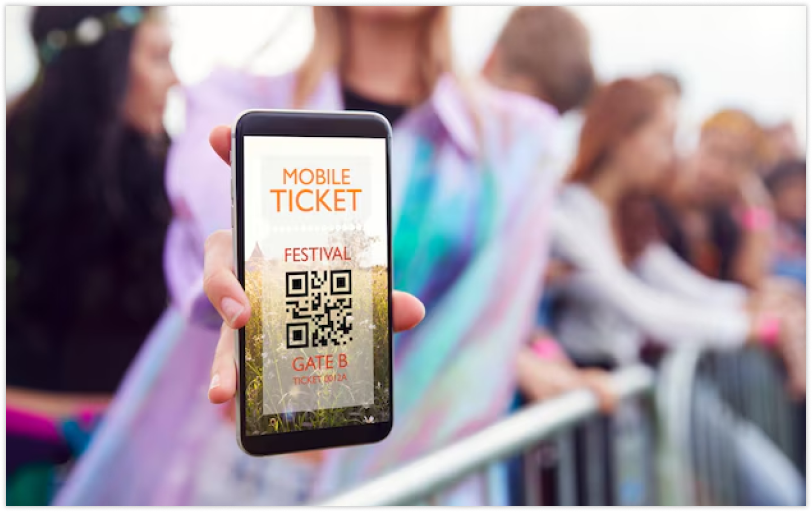
For big gatherings like conferences and festivals, making tickets one by one won’t work. This is where making many QR codes at once helps.
- You start by uploading a CSV file with guest data (name, email, ticket type).
- Then, it makes a unique QR code for each person on its own.
- Next, you can save these codes in groups (PNG or SVG) to put in emails or to print on badges.
This saves a lot of time and helps keep things in order.
Cutting Queue Times with Smart Check-In
Beyond technology, event flow design also matters. QR codes help when paired with simple practices:
- Multiple scanning lanes – Divide entry by ticket type.
- Pre-check areas – Staff can scan codes before guests reach the main doors.
- Clear instructions – Display “Have your QR ticket ready” signage before the line.
- Fallback search – Staff should have a manual lookup option for failed scans.
A well-organized setup ensures the system feels effortless, even for thousands of people arriving at once.
Analytics and Insights from QR Codes
Dynamic QR codes not only check people in; they also gather key data. Organizers can study:
- Busy times – to allocate staff well.
- Check-in trends – first and last scans show how long people stay.
- Device and place info – to better plan next ads.
- How channels do – by using UTM codes in QR links to see which push brings the most people.
With this info, the next events can be made to draw more people and run more smoothly.
Security and Fraud Prevention
Fake or copied tickets are a big problem for events. QR codes, when checked by a server, can cut down on these issues.
- Use just once – After a scan, that ticket won’t work again.
- Check with a server – The code links to your server, which checks for real tickets.
- Spot fakes – If a scan happens twice, the system tells when and where the first use took place.
- See details – Having the guest’s name or seat spot next to the QR code lets staff check by eye.
This mix of online safety and on-the-ground checks means QR codes can be trusted a lot for big and small events.
After the Event: Gathering Feedback
QR codes do more than just check you in. Put some at exit doors, food spots, or in emails after the event for event feedback. One quick scan lets guests open a survey to share their ideas easily.
Many planners also use QR codes to:
- Promote events after they happen.
- Get into photo collections.
- Sign up for emails about what comes next.
This helps keep people in it even after the event is over.
Building a Seamless Flow with the Right Platform
To keep everything running well, you’ll need a QR code system that has:
- Dynamic QR code making – this lets you change links and keep track of scans.
- Bulk upload options – good for big guest lists.
- Short link help – makes tickets easy to share.
- Analytics panel – lets you see scans live and get reports after the event.
- Developer API – for adding QR ticketing right into your app or sign-up system.
By picking a good QR code maker with these options, you can take care of all parts, from giving out tickets to getting feedback after the event, in one spot.
Final Thoughts
Event planning means making things easy for guests and simple for those who set it up. QR codes fit the bill just right. They cut down lines, stop cheaters, open up instant data, and can get thoughts after things wrap up.
Whether you’re running a tiny workshop or a big fair, QR codes change how you deal with tickets and getting people in. With good tools ready, your events get easier to run and more fun for all who come.




