


These days, QR codes are everywhere – restaurant menus, product packaging, billboards, business cards. They serve as an easy pathway between the offline and online worlds by supporting businesses in connecting with their audience instantly. Unfortunately, not all QR codes connect the way they are supposed to. A QR code may be too small, not have a good placement, or be poorly designed and now won’t scan; and therefore, the customer becomes frustrated and disengaged. Hence, Designing QR Codes in line with your business requirements is a must.
If you want your QR codes to drive results, it is not as simple as creating one, and ultimately pasting it on your marketing material to get things going. Good design, usability, and usability testing are crucial. Let’s explore the best practices for Designing QR Codes that people will notice, scan, and engage with.
Practices for Designing QR Codes
1. Make It Simple and Scannable
- The first principle of QR design is simplicity! QR codes are recognized by machines through unique patterns. When QR codes contain too much design complexity, either be busy patterns, bright colors, or heavy stylization, it can limit scannability.
- Use dark codes on a white background for maximum contrast.
- Don’t put a QR code on images or textures that interfere with the pattern. Avoid placing it in any context that will make it hard to recognize.
- Keep the quiet zone (white space surrounding the code) as clear as possible to make scanning easier.
Good example: A simple black code on a white package.
Bad example: A blended neon QR in a design pattern.
2. Use the Correct Size
A QR code that looks good on your screen may not work in the “real world.” Just like everything else, size matters.
- For printed media (flyers, posters, brochures): At least 2 x 2 cm (0.8 x 0.8 inches).
- For business cards: Just larger than logos so they can be scanned.
- For billboards and signage: Large enough to scan while walking or from a good distance.
Example: A small QR code on a gigantic billboard is not going to work; if you are driving, you will not be able to scan the code in time.
3. Quality Resolution
- Resolution is everything. A pixelated or blurry QR code will never scan.
- Use high-resolution files such as SVG, EPS, or high-quality PNG for print.
- Do not use screenshots, smaller, compressed images, or stretching small files.
- For digital use, ensure the code is sharp and not stretched.
4. Keep Placement in Mind
Even a great QR code can fail if it’s placed in the wrong spot. Designing QR Codes goes beyond generating a scannable code, it’s about location and visibility, accessibility and relevancy. A properly designed QR code, suited for your business, can help improve outcomes and engagement instead of lost chances.
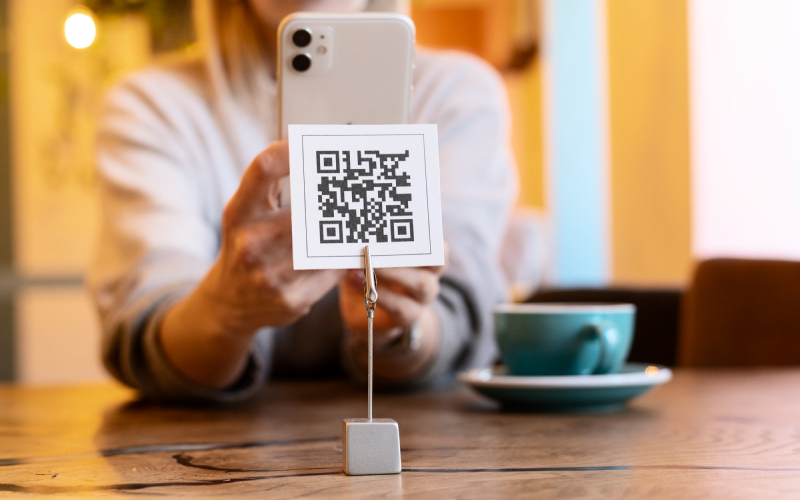
- Put QR codes at eye level so users can see them and reach them.
- Don’t put them where there are folds, in a corner or on textured/reflective surfaces like gloss paper.
- Help by keeping the area free of anything distracting or unclear to make them more visible.
5. Branding in moderation
Custom QR codes allow you to match them with your brand. However, branding should not interfere with functionality.
- You may put your logo in the middle, and have the QR with your brand colors.
- Just retain a solid contrast so the scanners can read the QR.
- Designing QR Codes doesn’t mean adding gradients, 3D effects, or over-complicated designs. Simple, clear, and business-focused QR codes work best for easy scanning and better engagement.
Example: A QR placed with appropriate logo overlay and brand colors with adequate contrast value.
6. Always Test Before Printing or Publishing
You should not rely on the fact that your QR code works perfectly, you should test it first!
- Scan with multiple devices (iOS and Android).
- Test it in different environments; bright daylight, dim light and at different distances.
- You should test the printed/graphic version when you scan too!
For more in-depth testing, such as readability and the quality of the link, and performance – QR Meta or similar tools may be helpful. This way you can ensure that your QR is optimized before you launch, minimizing ruined prints or missed scans.
7. Utilize Dynamic QR Codes
Static QR codes only link to one static destination. If you make a mistake, or need to change the linked content it will require reprinting the codes again. Dynamic QR codes solve this problem.
Dynamic QR codes let you change the linked content at any time without having the printed code change. You may also track user data such as the number of scans, locations of the scan, and even the device. Dynamic QR codes are great for campaigns, promotions, or menus with frequently changing content.
For example, restaurants can update a digital menu in seconds and will not have to reprint every time the menu changes.
8. Include a Clear Call-to-Action (CTA)
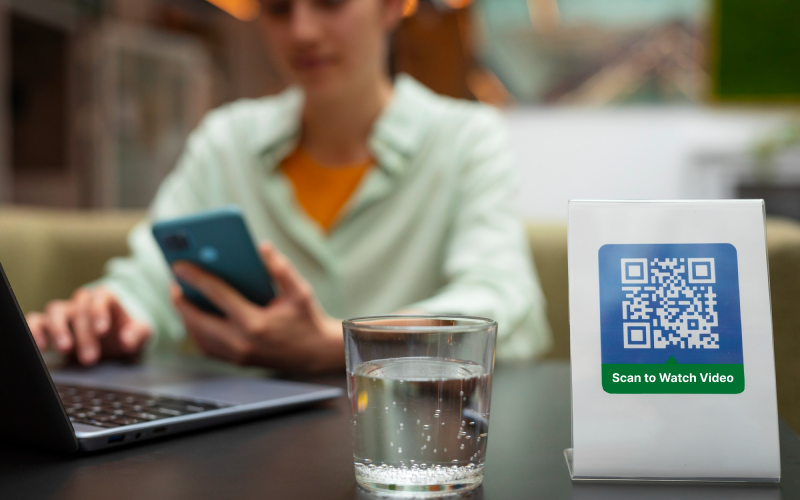
Remember a QR code is just a pattern by itself. Without guidance, an end user might skip a code entirely. Always give people a reason to scan it. In addition to the QR, consider including short CTAs: “Scan for 20% Off”, “Scan to Watch Video”, “Scan to Order Now.”
Make sure the CTA is noticeable next to the QR, whether with a short phrase or icon. A QR that provides clear CTA gets scanned far more than the unexplained qr.
9. Provide Access to Content
Designing for accessibility means that your QR code can work for a wider variety of people/learners. Be cognizant of colorblind friendly color combinations (if you’re using colors).
Also, provide access through alternative means, like a short URL typed out below the QR code.
Do not place QR codes in locations where access to the code may be difficult.
10. Mistakes to Avoid
Well-meaning Designing QR Codes sometimes miss the mark due to common mistakes. Don’t be guilty of the following:
- Too much styling in terms of colors and design elements.
- Light on light color combinations can be illegible.
- Codes printed pe3 small to scan.
- Not adding a CTA and serving up confusion.
- Placing codes in locations where users cannot easily scan them.
Conclusion
A QR code is more than just a graphic. It is also a direct connection to a digital experience. With intentional Designing QR Codes, QR codes can build trust, facilitate engagement, and generate measurable outcomes. Conversely, poorly designed QR codes can lead to user annoyances, poor scan rates, and negative impressions of the brand.
To maximize effectiveness, your QR code should be easy, scannable, on-brand, and kept simple. Always test the QR code out on several devices and in different settings prior to using it. Incorporating dynamic elements, clear CTAs, and considerations for Accessibly will make sure that the QR code is user-friendly. If you follow these principles, QR codes can serve as a very impactful connector between offline experiences and online opportunities.




