


QR codes have become mainstream now, you can find them almost anywhere. Whether you’re using a QR code for mobile payment in a restaurant, viewing a menu via your smartphone, or purchasing an event ticket online that contains products, you’re going to see these small square black and white images.
There is something very frustrating about how some QR codes seem to be read instantly, while others don’t work at all. Sometimes you have to adjust your angle, get closer or try a dozen times before it finally scans. In fact, there are times when your phone will say “no valid QR code detected” or “unable to read QR code.”
If you’ve ever typed into Google questions such as “why aren’t my QR codes scanning?” or “why do my QR codes not work?” or “why don’t my QR codes work at all?” You are not alone, many people have these same frustrations.
Here, in this article, we will discuss how QR codes work, and the varied reasons why some QR codes were scanned perfectly and read quickly!
What are QR Codes?
QR codes (quick response codes) are 2D barcodes that contain data in a square matrix made up of black and white blocks. Unlike standard barcodes, which only store data horizontally. QR codes store data both horizontally and vertically which gives them a much larger capacity to hold more information.
Over the years QR codes have evolved into usable technology for payment transactions, marketing, authentication, and sharing of information. QR codes can be used to store different types of information including!
- Website links
- Payment links
- Contact information
- WiFi passwords
- Links to applications for download
- Event tickets
How Does Your Phone Scan a QR Code?
Once you’ve pointed your phone’s camera at a QR code, a multitude of actions are executed in split seconds before you see anything. The steps are as follows!
1. The camera will take an image of the QR code.
2. The QR code scanner detects the three square finder patterns that exist on the corners of the code. The finder patterns help the scanner know it is a QR code.
3. If the QR code is angled, the scanning software will automatically adjust the QR code’s perspective.
4. The QR code scanner will read the various patterns of squares and decode them into data.
5. Finally, your phone will complete the stored action, such as opening a website or processing a payment.
If any part of the process is not completed, you will receive an error message such as “this is not a valid QR code.”
Key Factors That Change QR Code Scan Speed
There is a difference between QR codes. There are many factors that influence if a QR code scans quickly or leads to frustration.
1. QR Code Size
The first reason that QR codes might not work is the size of the QR code itself. If a QR code is printed too small, the QR code reader app may not see each square clearly. Therefore, the code will take longer to scan and, in some cases, not scan at all.
Here is the suggested size for printing QR codes with regard to the medium you are printing them on:
- Printed material should be at least 2cm x 2cm.
- Posters should be between 5cm and 10cm depending on the distance and where users will be scanning them from.
- Billboard will require the largest size printing.
When QR codes are printed too small, users may ask themselves “Why isn’t my QR code scanning?” when, in fact, the QR code is technically correct and able to be scanned properly.
2. Color Contrast
When it comes to a QR code being scanned, color contrast between the background and the code modules is key. The combinations that have the best contrast are:
- Black on a white background.
- Dark blue on a white background.
- Dark green on a light background.
The combinations that have the worst contrast are:
- Light grey on a white background.
- Yellow on a white background.
- Pastel colors on a white background.
- Gradients as a background for QR codes.
When the QR code and its background do not provide enough contrast, a user might think that the QR code is not working. In fact, the problem is visual readability, which is due to a lack of contrast.
3. Ways that Lighting Affects Scan Speed
Lighting is an important factor when scanning QR codes. If you have inadequate lighting, it will be difficult for the camera to see the QR code correctly. However, if there is too much light or reflections, the QR code will be more difficult to scan.
Some of the common lighting problems are!
- Reflections on lamination materials.
- Low-light situations in restaurants and bars.
- Bright sunlight from outside can create difficulty in scanning.
When the lighting is poor, people will often ask “Why can’t I scan my QR code?”, when in fact, the camera simply couldn’t take a clear picture.
4. Proper Distance and Placement
If the QR code is too far from the camera, positioned too close, or at an awkward angle, the ability for the camera to scan the QR code will reduce greatly.
Placement is also important when considering real-world environments, such as:
- Restaurant tables
- Posters
- Product packaging
- Event banners
- Billboards
When the QR code is improperly placed, it leads to many people asking, “Why doesn’t this QR code work?”, even though it is actually just the position that creates the problem.
5. QR Code Complexity
Different amounts of information can be stored in QR codes. As the amount of info being saved increases, so does the number of tiny squares in the QR code to store that info.
Example:
- A short URL generates a simple QR code with fewer modules.
- A long URL or large amounts of data will create a much denser QR code.
One easy solution is to create a shorter URL using URL shorteners so that you have less data to store and the QR code will be created with fewer modules.
6. Error Correction Level
QR codes come with built-in error correction so they will still work even if a part of it is damaged or covered by something. There are four levels of built-in error correction!
- L (Low) – 7% correction
- M (Medium) – 15% correction
- Q (Quartile) – 25% correction
- H (High) – 30% correction
The higher the error correction level, the more backup data is stored in the QR code. While this makes the QR code last longer by having additional data within it. It also increases the number of modules in the QR Code which again would take a little longer to scan.
7. Inadequately Designed QR Codes
Most businesses customize the QR code they use to promote their business, and while a creative design can be pleasing. It can also lead to problems with the QR code not working as intended.
Reasons this can occur:
- Logos take up too large of a portion of the code.
- The standard square modules have been modified into some form other than a square.
- There is no border.
- There is not enough contrast in the color choices used.
By over-customizing a scanner is forced to try to figure out where the code should be, resulting in a scanner that cannot scan the code.
8. Poor Quality Print
Another common reason for QR codes not working is due to the poor quality of the printed material.
When the code is printed using a low-resolution printer you will see the following problems:
- Blurry edges
- Ink running into other locations
- Modules becoming distorted
This happens most often with:
- Cheap flyers
- Newspapers
- Low cost packaging
- Poor quality labels
When the printed material is not crisp, the scanner cannot find a code and will give the scanner a message saying “No record QR code”.
9. Lack of a Quiet Zone
The empty white border that surrounds the QR code is called a Quiet Zone, and it is necessary for every QR code.
The quiet zone assists the scanner in knowing what is part of the code, and where the code starts and ends.
If the quiet zone is missing or is too small:
- The scanner will not be able to find the boundaries of the code.
- The scanning will take longer to scan the code.
- The code may not scan at all.
- The ideal amount of quiet zone for a code is equal to four modules.
If the scanner is unable to find the quiet zone, the user may experience a lot of frustration.
Tips to Make QR Codes Scan Instantly
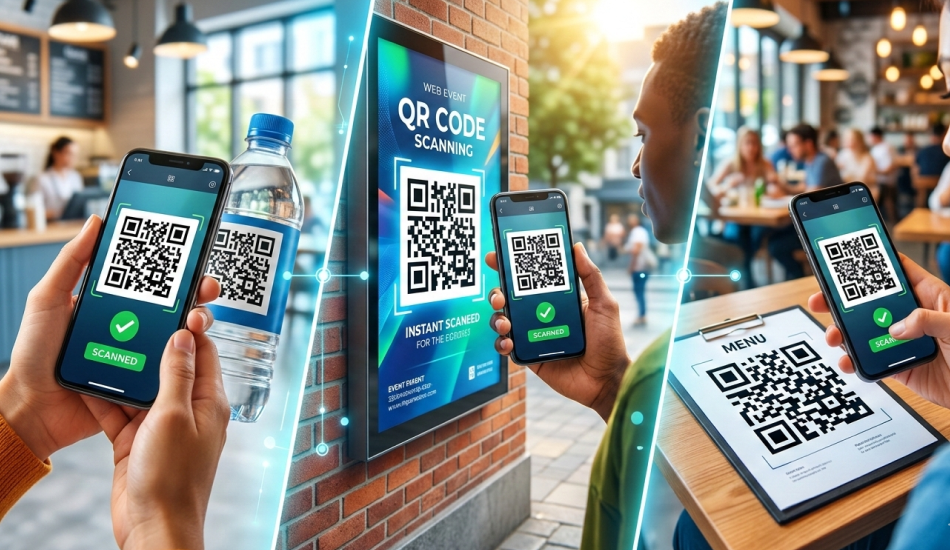
QR Codes scan right away!! Here are three simple tricks to help with that.
1. Use High Contrast Colors
To get the best scan from your QR Code, always create them using a color contrast like black on white. Low-contrast color combinations will cause scanning problems.
2. Use Enough Size
To ensure that your QR code is properly scanned, be sure to make it big enough for a cellphone camera to pick it up. If the QR code is too small, it can result in problems scanning it.
3. Maintain the Quiet Zone
To help the scanner recognize the boundaries of the QR code, the QR code should have a surrounding edge that’s white. If this white area is missing, then a scanner may find there is no QR code in that image.
4. Avoid Over-Customizing
When you design a QR code, don’t add too much to it like large logos or unusual shapes. Too many design modifications can confuse the scanner and lead to the QR Code not working.
5. Use Short URLs
If your URL address is shorter, this means that there is less data stored in the QR Code. Shorter code will scan easier and therefore reduce the chance that the QR Code will not work.
6. Use High-Quality Images
Always create QR Codes that are 300 DPI minimum, thus making sure the modules are sharp and clear. Bad quality images can result in problems scanning a QR Code.
7. Test Before You Publish
Be sure to test your QR code on a variety of different cell phones in many diverse lighting conditions before you publish.
Final Thoughts
Though QR codes can appear to be easy to use, a number of variables will affect how they perform, including the quality of their design, ease of scanning, their size, color contrast, the lighting conditions they are scanned in, the complexity of the data they contain, and the type of device being used to read the QR code.
Many users will report problems with QR codes like QR code not scanning, QR code not working, QR code not valid, but chances are high that the issue will result from errors in design or printing rather than a failure of the QR Code itself.
By adhering to sound principles of QR code design, many QR code scanning issues will be resolved, resulting in a better experience for the end-user.
A properly constructed QR code should scan in 1 second or less. If a QR code takes longer than 1 second to scan, it generally is due to a design or placement problem with the QR code.
FAQs
1. Why do some QR codes not scan?
Several reasons can prevent successful scanning of a QR code. Examples are low contrast, smaller size than ideal, poor print quality, insufficient lighting, missing quiet zones, and any damage to, expiration of, or too much data in the code create problems for scanners.
2. How do QR codes not get repeated?
QR codes are produced with multiple data combinations and encoding patterns which means you cannot produce identical QR codes even though they may look alike. What makes them different is the unique data contained in each individual QR code, so they cannot be identical.
3. How to detect fake QR?
You can determine if a QR code is fake by verifying the URL before accessing it, by making sure all QR codes scanned originate from reputable sources, and that it does not cover the original sticker of a product. Also, if the URL does not make sense, do not scan it.




