


QR codes are widely used to make everyday actions easier and faster. Whether it’s opening a website, accessing information, or sharing details, QR codes reduce the number of steps. One practical use is a call QR code, which allows people to make a phone call instantly after scanning.
Instead of manually typing a number, users can scan a QR code for a phone number and connect with a single tap. This makes communication simpler for businesses and more convenient for users.
In this article, we’ll explain what a call QR code is, how it works, when it should be used, and how to create one in just a minute.
What is a Call QR Code?
A call QR code is a QR code that opens the phone dialer on a smartphone with a phone number already filled in. After scanning, the user only needs to confirm the call.
This type of QR code is designed for quick and direct communication. It works on most modern smartphones and does not require any additional app installation.
How Does a Call QR Code Work?
Creating a call QR code is quick and simple, even for beginners.
You only need a QR code generator that supports phone numbers.
Follow these steps to create a call QR code in under a minute.
Step 1: Open a QR Code Generator for Phone Calls

Start by opening a QR code generator that offers a Phone or Call QR code option.
This option is designed to open the phone dialer when the QR code is scanned.
Choosing the correct generator ensures the QR code works smoothly on smartphones.
Step 2: Select the Call QR Code Type

On the generator page, select the Call or Phone QR code type.
This tells the system to create a QR code specifically for phone calls.
Selecting the correct type is important for proper dialer functionality.
Step 3: Enter Your Phone Number
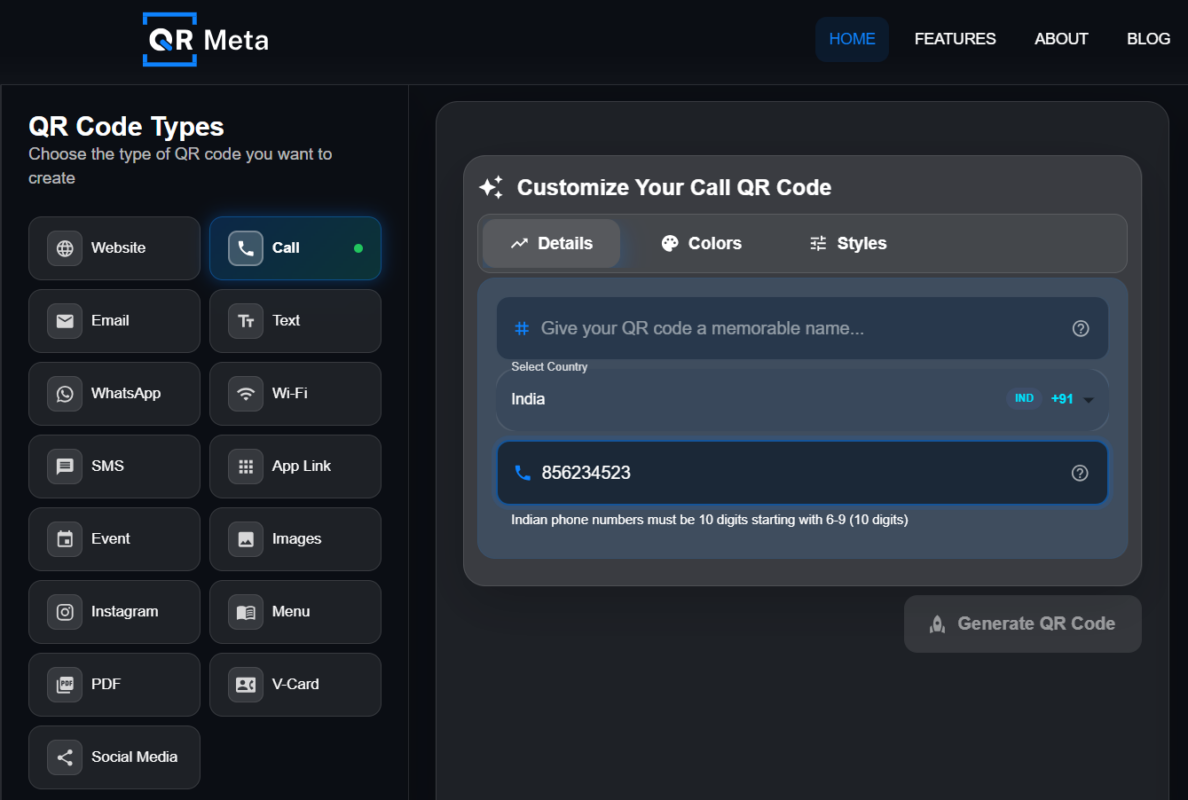
Enter the phone number you want users to call.
Always include the correct country code to avoid connection issues.
Double-check the number before moving to the next step.
Step 4: Generate the Call QR Code
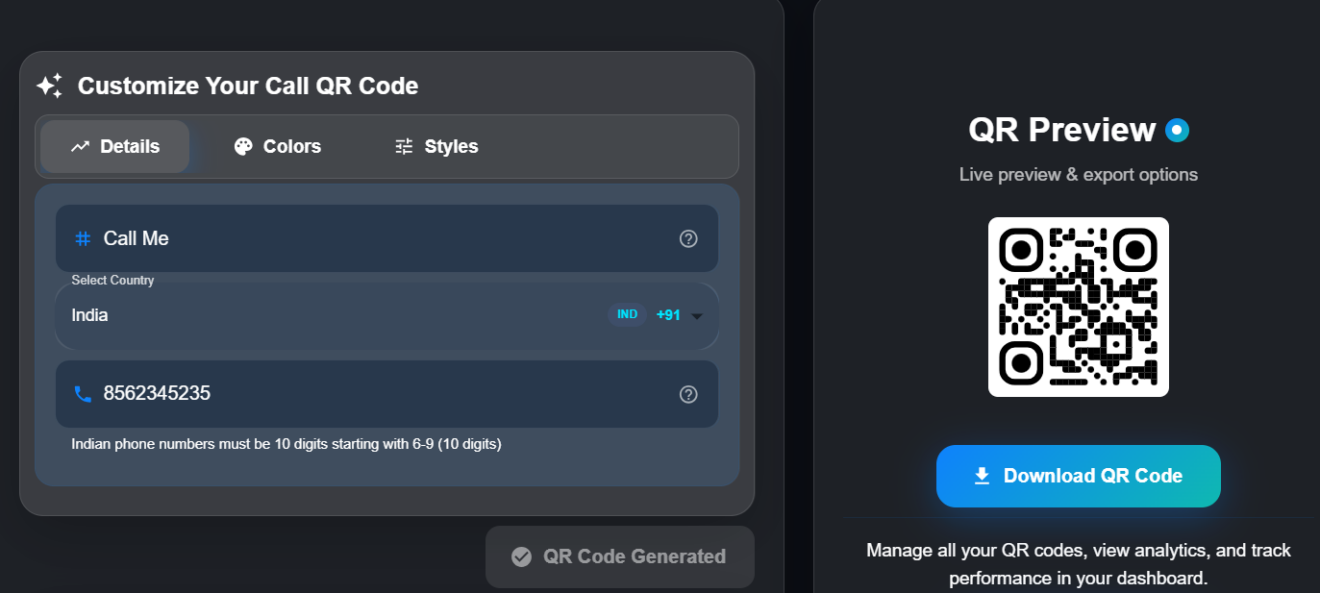
Click the Generate QR Code button to create your call QR code instantly.
The QR code will appear on the screen as a preview.
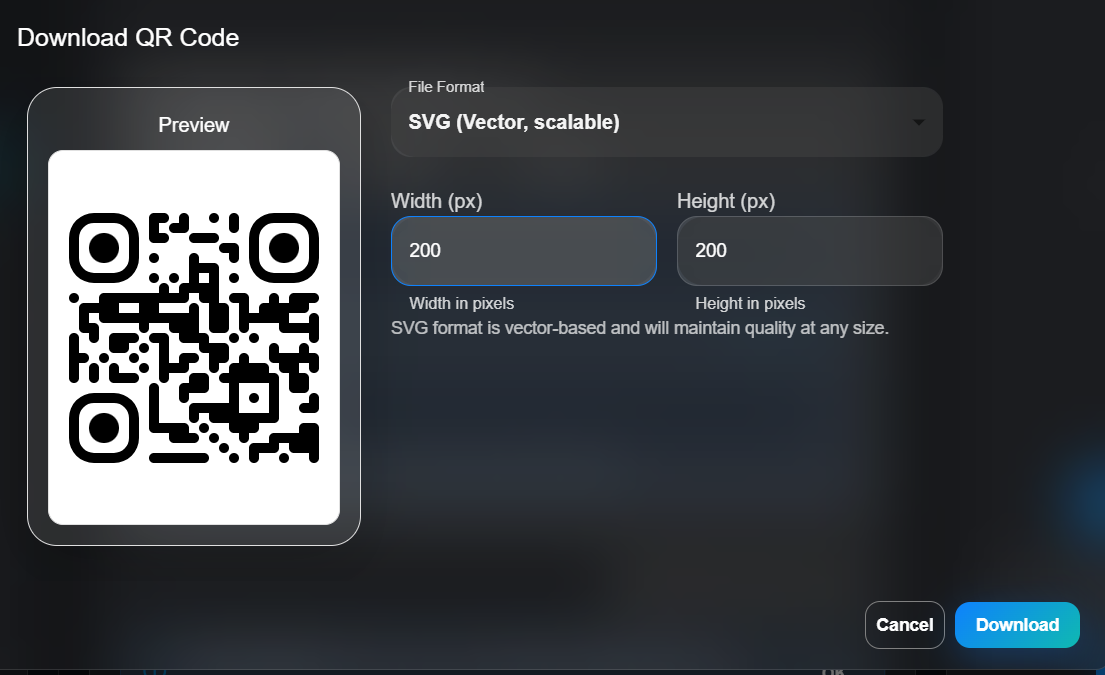
At this stage, you can customize or download it if needed.
Step 5: Scan and Test the QR Code
Scan the QR code using your smartphone camera.
The phone dialer should open automatically with the number prefilled.
Once tested, the QR code is ready for use on print or digital platforms.
Why Use a QR Code for Phone Number?
Using a QR code for a phone number improves the overall calling experience.
Some key benefits include:
- Faster access to phone calls
- No need to type numbers manually
- Reduced chances of dialing the wrong number
- Easy to place on print and digital materials
- Works without installing any app
This makes call QR codes useful for businesses as well as individuals.
Where are Call QR Codes Commonly Used?
Call QR codes are commonly used in situations where instant communication is important.
Businesses often place them on posters, websites, brochures, and business cards so customers can reach them quickly. Service providers, restaurants, and real estate professionals use them to increase inquiries.
Individuals also use a call QR code on digital business cards or personal profiles to make sharing their phone number easier.
Call QR Code vs. Saving Contact Details
A call QR code is focused on immediate action. Its purpose is to help users make a call right away.
Other QR codes are designed to save contact details like name, email, and address. Those are useful when the goal is storing information, but when quick communication matters, a QR code to call a phone number is the better choice.
Best Practices for Using Call QR Codes
To ensure your call QR code works smoothly:
- Always include the country code
- Add a short call-to-action such as “Scan to Call”
- Make sure the QR code is easy to scan
- Test it on multiple devices
These small steps help improve usability and response rates.
Conclusion
A call QR code is a simple and effective way to enable instant phone communication. By allowing users to scan and call without typing a number, it saves time and improves convenience.
Whether you are using a QR code for phone number for business inquiries or personal contact sharing, creating one takes only a minute and delivers long-term value. When quick and direct communication is important, a call QR code is a smart solution.
FAQs
- What is a call QR code?
A call QR code allows users to scan and make a phone call instantly without dialing manually.
2. Does a call QR code work on all smartphones?
Yes, it works on most Android and iOS smartphones.
3. Is a QR code to call phone number safe?
Yes, it only opens the dialer and requires user confirmation before calling.




