

Instagram QR codes provide a simple way to share Instagram profiles and content without requiring users to search or manually type usernames. A single scan opens the relevant Instagram content instantly, helping improve accessibility across both offline and online channels.
This blog explains what an Instagram QR code is, how it works, and how it can be created and used effectively.
What is an Instagram QR Code?
An Instagram QR code is a QR code that links directly to Instagram content. When scanned using a smartphone camera, it opens an Instagram profile, post, reel, or page. This allows users to reach the intended content immediately without additional steps.
Instagram QR codes are commonly used on printed materials, product packaging, storefronts, and digital platforms to simplify access to Instagram content.
Why Instagram QR Codes are Used?
Instagram QR codes reduce the number of steps required to access content. Instead of searching within the Instagram app, users can scan a code and be redirected instantly.
They are commonly used to:
- Connect offline audiences to Instagram
- Increase visibility of profiles and campaigns
- Simplify content sharing
- Support both informational and promotional use cases
How Instagram QR Codes Works?
Instagram QR codes function by encoding an Instagram URL into a QR format. When scanned, the QR code reads the URL and opens it in the Instagram app or browser, depending on the device configuration.
The QR code itself does not store personal information. It only redirects to the linked Instagram destination.
How To Create an Instagram QR Code
Step 1: Open the QR creation section and choose Instagram from the QR code types
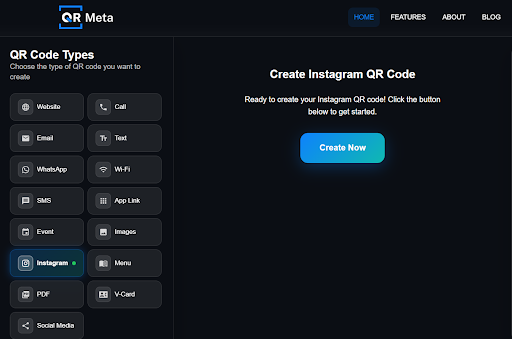
This sets the QR code to link directly to an Instagram profile.
Step 2: Select whether you want a dynamic or static QR code.
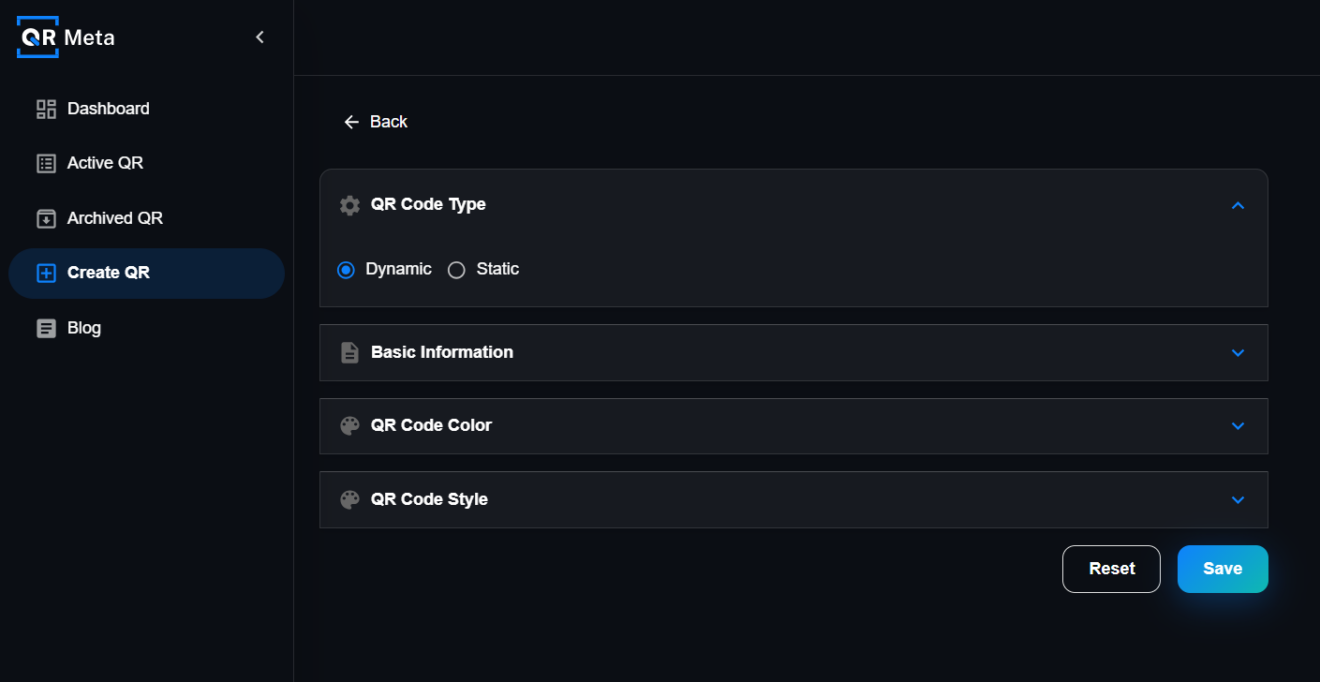
Dynamic allows future updates, while static stays fixed.
Step 3: Enter a tag name and your Instagram username.
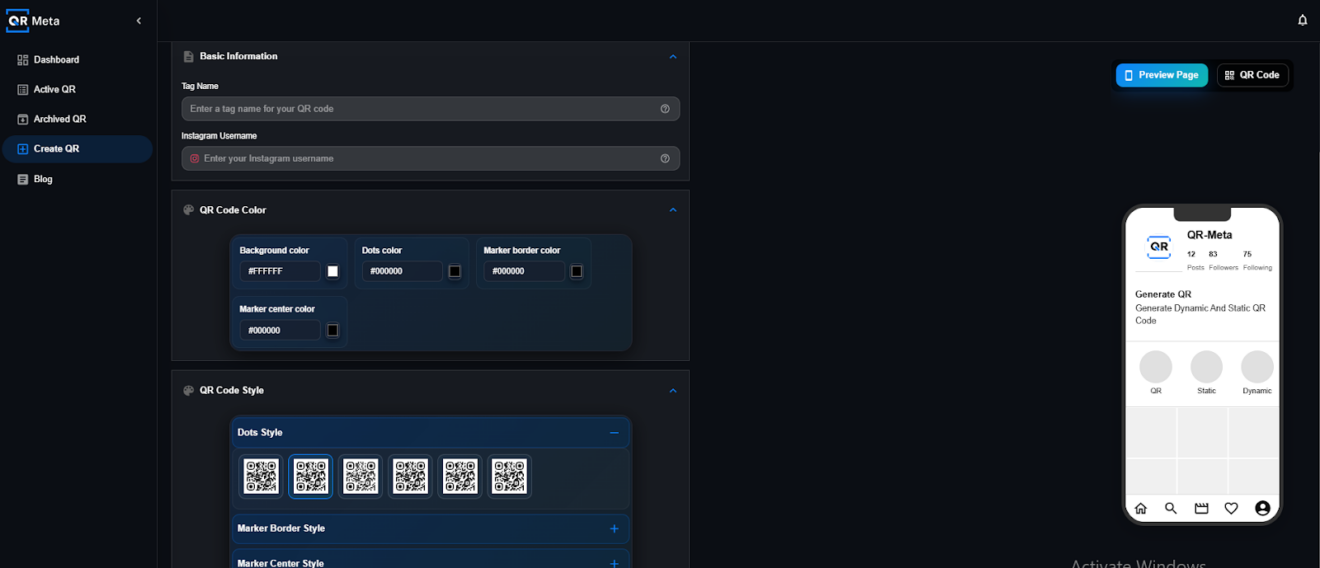
Make sure the username is correct and follows Instagram’s format.
Step 4: Preview the QR code and save it.
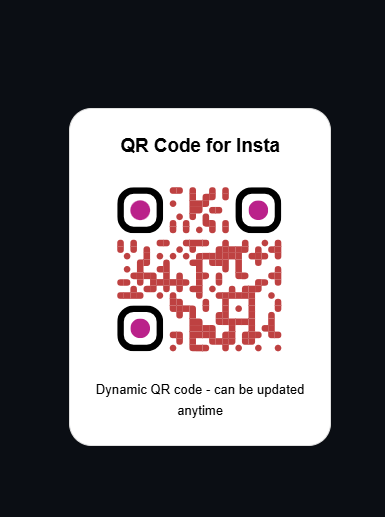
The Instagram QR code is now ready to use or download.
Editable And Trackable Instagram QR Codes
Some QR code setups allow the destination link to be updated without changing the QR code itself. Scan-related data such as total scans, device type, location, and time can be reviewed to understand performance over time.
This supports long-term use and consistent management of Instagram QR codes.
Where Instagram QR Codes Can be Used
Instagram QR codes are commonly placed on:
- Business cards
- Flyers and posters
- Product packaging
- Storefront windows
- Event displays
- Websites and digital content
Placing QR codes in visible locations ensures they can be easily scanned.
Best Practices For Instagram QR Codes
- Maintain sufficient contrast between the QR code and background
- Ensure the QR code is large enough for reliable scanning
- Leave adequate spacing around the QR code
- Avoid reflective or curved surfaces
- Test the QR code on multiple devices before use
These practices help ensure consistent scanning performance.
Common Issues To Avoid
- Using QR codes that are too small
- Linking to incorrect or outdated Instagram URLs
- Placing QR codes in low-visibility areas
- Not testing QR codes before printing or publishing
Avoiding these issues improves reliability and user experience.
Final Thoughts
Instagram QR codes offer a practical way to connect users directly to Instagram content. When created and managed correctly, they can be reused across multiple channels and updated as needed. This makes them suitable for ongoing campaigns, printed materials, and digital use cases where ease of access and consistency are important.




