

QR codes are easy to create. That’s why they’re easy to trust.
You generate one, scan it once, and it works. At that point, it feels like everything is fine.
But that’s only one situation.
The same QR code, when used by someone else, on a different phone, or in a different environment, doesn’t always behave the same way. Sometimes it takes longer. Sometimes it struggles. Sometimes it leads somewhere unexpected.
And when that happens, people don’t try to figure it out. They just move on.
That’s where testing becomes important.
What Testing Really Means?
Testing a QR code is not just about checking if it scans.
It’s about checking how it behaves when it’s actually used.
A QR code that scans on your phone in perfect conditions may not respond the same way on another device or under different lighting. Testing helps you see that difference before it reaches users.
This is what people usually refer to as testing a QR code or QR code test not just confirming that it works, but that it works consistently.
Where Problems Usually Begin?
Most QR codes don’t fail in an obvious way.
They don’t stop working completely. Instead, they become slightly harder to scan.
It could be because the size is just a bit small, or the contrast isn’t strong enough, or the design affects how quickly it’s detected.
None of these feel like major issues on their own. But together, they slow things down.
That’s when you start seeing QR code not readable in situations not because the code is broken, but because it wasn’t tested beyond one condition.
Why One Device is Never Enough?
It’s common to test a QR code on a single phone and assume it’s ready.
But devices don’t behave the same way.
Some detect QR codes instantly, while others take a moment. Camera quality, software processing, and even small movements can change how quickly a code is read.
That’s why a proper check QR code approach involves trying it on more than one device. It gives a more realistic idea of QR code scanning reliability.
Scanning is Only Part of the Experience
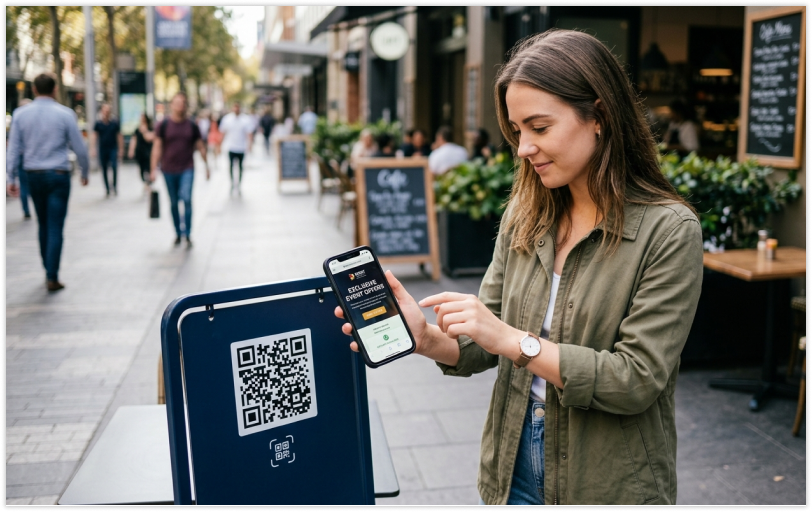
A QR code scanning successfully is only the beginning.
What follows matters just as much.
If the link opens slowly, leads to the wrong page, or doesn’t work properly on mobile, the experience still breaks. From a user’s point of view, it’s all one flow, not separate steps.
This is where verifying QR code becomes important. You’re not just checking whether it scans, but whether everything after the scan works the way it should.
Problems Don’t Show Up Until It’s Live
This is where most issues actually surface.
Everything looks fine during initial testing. The code scans, the link opens, and nothing seems wrong.
But once it’s printed, shared, or used in real situations, small issues start to appear. Lighting changes, distance varies, and different users interact with it differently.
By then, fixing it becomes difficult.
That’s why QR code checking or QR code validation should happen before anything goes live, not after.
Making Sure the QR Code is Safe to Use
QR codes often lead to links, payments, or important information.
Because of that, users are more cautious than before. They want to be sure that what they’re scanning is safe and takes them to the right place.
Testing helps ensure that the QR code behaves exactly as expected. It removes doubt and builds trust, especially when people are aware of the possible dangers of QR codes.
What Testing Actually Involves?
Testing doesn’t need to be complicated.
It simply means checking the QR code in the same way people will use it.
Try it on different devices. Test it in different lighting. Check it from different distances. And don’t just stop at scanning to see what happens after.
This is what a basic QR code tester approach looks like in practice.
Final Thoughts
A QR code doesn’t get multiple chances. Someone scans it once, and that moment decides everything.
If it works instantly, the experience feels natural. If it doesn’t, the interaction ends there. Testing is what makes sure that moment goes right.
FAQs
1. How to test QR code?
Test it on multiple devices, lighting conditions, and distances to ensure consistent performance.
2. What is QR code testing?
It is the process of checking whether a QR code scans properly and delivers the correct result.
3. Why should you always scan a QR code before using it?
To make sure it works smoothly and avoids issues for users.
4. What is QR code validation?
It means verifying that the QR code contains correct data and functions properly.
5. Can a QR code be harmful?
QR codes themselves are safe, but scanning unknown ones can lead to risks.




