


We’ve all been there. You scan a QR code on a product box, flyer, café table, or visiting card, expecting something useful, and instead you get…nothing. A blank page. An error. Or worse, a message saying the QR code is inactive or expired.
It is a great annoyance for the users and even more for the businesses who have invested time in printing and distributing those QR codes. The positive side? QR codes don’t just die off randomly. There is always a reason for it, and in most cases, it can be fixed.
Let’s break down why QR codes expire, what really causes them to stop working, and smart, practical ways to fix or reactivate inactive QR codes without reprinting everything.
First Things First: Do QR Codes Actually Expire?
Short answer: QR codes on their own are non-expiring.
A QR code is just a pattern that holds data. What definitely can expire or be broken is the content that is behind the QR code, most typically a link, page, or redirect.
Imagine a QR code as a doorbell. The bell is still operational, but if the house is empty, you won’t get an answer.
Static vs Editable QR Codes (This Matters a Lot)
Knowing the difference between these can be a great saver of your money, time, and peace of mind.
Static QR Codes
Single fixed destination
Non-editable once created
If the link is changed or deleted, the QR code will not work in perpetuity.
Editable (Dynamic) QR Codes
The destination can be changed anytime.
One QR code can be used for several campaigns.
By printing, you are not obliged to fix the broken links.
Most of the time, the reasons for the disappearance or inactivity of the QR codes are that people have mistakenly used static QR codes when they should have used editable ones.
Common Reasons Why QR Codes Stop Working
Let’s look at the real-world reasons QR codes become inactive.
1. The Link No Longer Exists
This is the most common problem.
- Website page deleted
- URL changed
- Campaign landing page removed
- File no longer hosted
If your QR code points to a dead link, users will see an error, even though the QR code itself is fine.
Smart fix:
Use editable QR codes that allow you to update the destination URL instantly.
2. A QR Code Was Generated with Limited Access
Some QR codes are created with:
- Scan limits
- Time limits
- Trial-based access
Once those limits are crossed, the QR code appears “expired”.
Smart fix:
Use QR codes that remain active long-term and allow full control over redirection instead of hard limits.
3. Campaign Ended, but the QR Code Didn’t
Marketing campaigns end, but printed QR codes don’t magically disappear.
That brochure from six months ago?
That product is still on shelves?
That banner someone took a photo of?
If the QR code points to campaign-specific content that’s no longer relevant, users hit a dead end.
Smart fix:
Redirect old QR codes to:
- Updated offers
- A general landing page
- A “What’s New” section
Editable QR codes make this possible without changing the printed code.
4. The QR Code Was Poorly Printed or Damaged
Sometimes the issue isn’t digital at all.
- Low-contrast colours
- Too small size
- Scratches, folds, or fading
- Glossy surfaces causing glare
Even the best QR code won’t scan if it’s hard for a camera to read.
Smart fix:
Always generate high-resolution QR codes and test them on:
- Android & iOS
- Different lighting conditions
- Multiple camera apps
5. Content Was Moved Without Updating the QR Code
This happens a lot during website redesigns.
- URLs changed
- Folder structure updated
- Pages merged or removed
The QR code still points to the old location.
Smart fix:
Update the QR destination link instead of reprinting materials.
How to Reactivate an Inactive QR Code (The Smart Way)
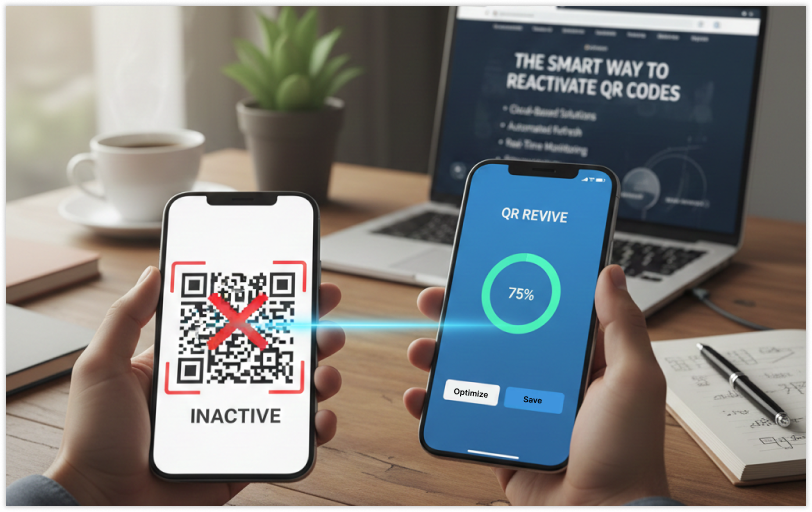
Now let’s talk about solutions, because fixing QR codes is often easier than people think.
1. Change the Destination Link
If editing is supported by your QR code, then this is the quickest way to fix it. You can:
- Replacing broken URLs
- Redirecting to new pages
- Pointing to updated documents or videos
Thus, it is the same QR code that is kept active while changing the one it leads to.
2. Redirect to a Backup Page
If the content was removed, don’t let users encounter an error page. Redirect the QR code to:
- A homepage
- A contact page
- A product overview
- A short explanation page
By doing this, the user experience remains seamless and of a good standard.
3. Employ One QR Code for Several Campaigns
Whether it is a new QR code that you have to create every time, why not just reuse the same QR by changing the destination as required? This is particularly useful for:
- Packaging
- Business cards
- Posters
- Long-term signage
4. Track Scan Behaviour
Inactive QR codes are usually forgotten until the customers start complaining. Scan analytics assist you to:
- Determine if people are scanning.
- Locating sudden drops in scans
- Finding broken links early
If scans are performed less frequently at a certain time, it is probably the time for you to take action.
5. Replace Static QR Codes with Editable Ones
If you have not yet switched from static to editable QR codes for your business or marketing, then definitely switching is the biggest upgrade you can make.
Editable QR codes offer you:
- Flexibility
- Usage for a long time
- Improved ROI of your paper-based materials
Just one minor adjustment at the beginning will spare you the trouble of reprinting a lot later.
Best Practices to Avoid QR Code Expiration in the Future
Here are some simple habits that prevent QR code issues altogether:
Test Before You Print
Try scanning your QR code on a bunch of phones, with different apps, and in all kinds of lighting. You want it to work everywhere, not just on your desk.
Skip Temporary Links
Stay away from short-term file hosting, test pages, or draft URLs. They disappear fast and leave people hanging.
Make QR Codes Editable
Editable codes give you control and flexibility. You can update the link if things change. It’s just less stressful.
Think About the Real World
Keep the code big enough to scan easily. Use high-contrast colours. Leave some space around the edges so nothing gets in the way.
Check Your QR Codes Regularly
Set a reminder to check your active codes every month. It’s quick, and it helps you catch problems before anyone else does.
Why Fixing QR Codes Is Better Than Reprinting
Reprinting costs money.
Fixing QR codes costs minutes.
When you can:
- Change links
- Update destinations
- Track scans
…you protect your brand image and avoid confusing your users.
As marketing expert Seth Godin said:
“People don’t buy goods and services. They buy relations, stories, and magic.”
A broken QR code breaks that story.
Final Thoughts
QR codes are not the ones to fail on their own; they actually fail when we cease managing what is behind them.
Knowing the reasons for QR codes to go inactive and choosing intelligent solutions that can be edited, you are able to:
- Make your QR codes last longer.
- Enhance user experience
- Have more time and save printing costs
- Be able to keep your campaigns flexible and ready for the future
What if the QR code doesn’t work next time? Don’t cry wolf.
In the majority of cases, it can be fixed quickly, and a complete replacement is not necessary.
Frequently Asked Questions (FAQs)
Do QR codes really expire on their own?
No, QR codes are not inherently expiring. The problem is most of the time the content behind the QR code might be a link that no longer works, a webpage that has been deleted, or a redirect that is no longer active. When the place where the code leads is not working, a QR code is said to be expired, although it is still valid.
Can you turn an inactive QR code on again without printing it again?
It is possible if the QR code is an editable one whereby you just have to update or change its destination link. In this way, the same QR code can be used again without reprinting brochures, labels, or packaging, thus saving both time and money.
Why does my QR code scan but not open anything?
This is a situation that commonly occurs when the linked page has been removed, the URL has changed, or the server is down. It may also be the case that a temporary or limited access link was used to create the QR code. The problem will be fixed by pointing the destination to a working page.
What is the best way to prevent QR codes from becoming inactive in the future?
The best approach is to use editable QR codes, test them before printing, avoid temporary links, and regularly monitor scan activity. This ensures long-term usability and helps catch issues early before users encounter broken scans.




